Productivity
3 November 2024 · 4 min read By Nikesh Lagun
3 November 2024 · 4 min read
160 Million People Use These Two Productivity Apps To Stay Organized. Here's Why
By Nikesh LagunMastering Personal Productivity with Notion and Miro.
By Nikesh LagunMastering Personal Productivity with Notion and Miro.
Hey friends,
Are you looking to not feel overwhelmed by tasks, deadlines, and projects to stay ahead of the game?
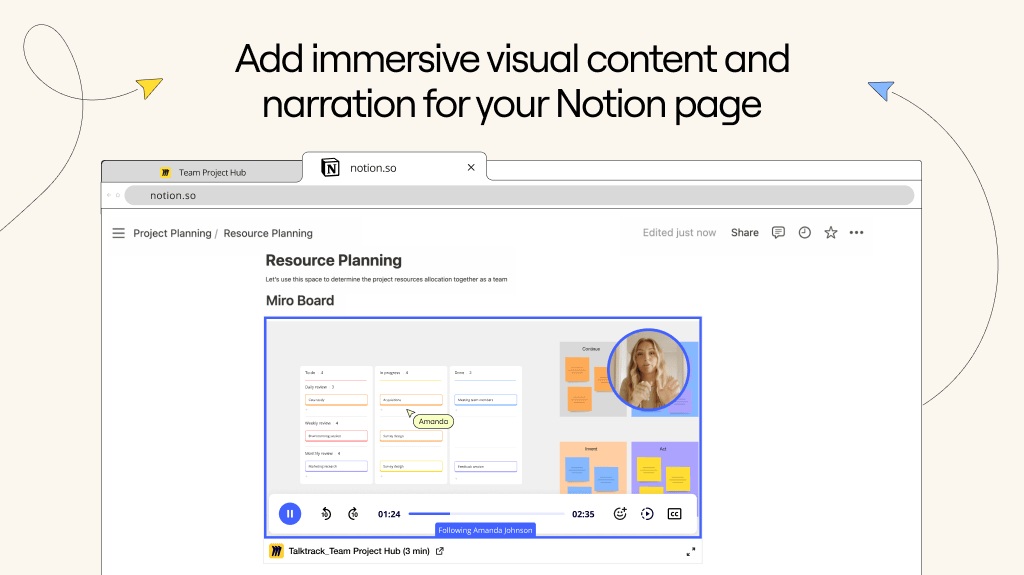
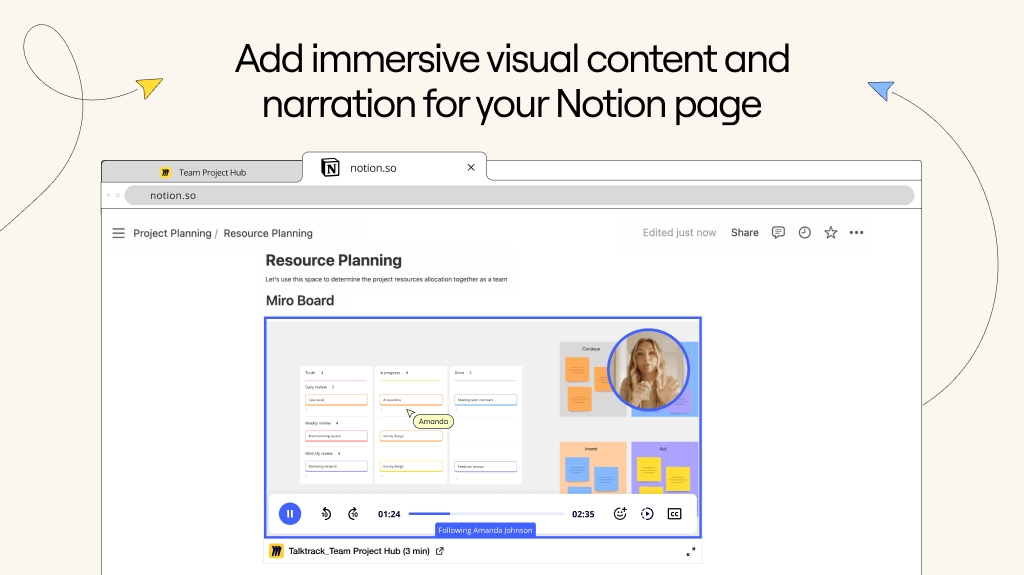
This week, we are highlighting two tools—Notion and Miro—making it super easy to take advantage of your existing apps to streamline, organize, and focus on what truly matters.
Picture mapping out the goals of your week or even taking notes to help you work on a big project.
Miro’s digital ‘sticky notes’ and customizable templates instantly capture ideas on a visual ‘canvas’ that makes tango tacky notes to other ideas and provides context for them within the broader conversational flow.
📌 Note: This flexibility allows for staying on track with long-term goals but fine-tuning for short-term changes.
Balancing multiple responsibilities?
With notion’s tagging and filtering keys, you can tag tasks by urgency or type, e.g., “High Priority” or “Personal.” The visual separation between what’s urgent and what’s ongoing is manifest in picture-color-coded tags.
🚩 When things get busy, this simple tweak will help keep high-priority tasks visible to make sure nothing slips into a hole in the ground, especially.
Consider the apps that you use every day: Google Calendar, Slack, Asana, and so on.These active tools connect to Notion and Miro: you can mirror deadlines and reminders right to your notions and Miro dashboards.
This means that instead of moving from app to app, you’ll have all your tasks and deadlines in one place, reducing distractions and increasing productivity.
One of the powerful automation features offered by Notion is to be able to automatically move completed tasks to what Notion calls “done.”
What you would imagine is that your workspace would stay neat and clean as you simply clean up the tasks once you finish them, and no manual clean-up is necessary.
🎈Giving up on this a little bit frees your mental space so you can focus on what’s next rather than tracking what has been done.
Feedback features in Notion and Miro can also help us grow personally.
For example, next month you might add a note to review the project’s progress. Even the ‘mention’ part of Notion lets you tag future dates so you can come back to your progress on long-term goals when you need to—that’s an incredible way of tracking growth and looking at your accomplishments.
🌍 Anytime, Anywhere Access: Both of the tools are cloud-based and can be used on all devices to check your to-do list or capture your ideas in between.
🎨 Tailored for Your Unique Workflow: You can customize templates and views to build a workspace as you like, fitting your needs to minimize distractions and get in the zone.
💆♂️ Reduced Mental Load: With automation and integrations, you will have less manual work to do and more time to spend working on your goals.
Adding Notion and Miro to your personal productivity toolkit means that you can organize, prioritize, and finish tasks differently. No matter if you’re working on your projects, personal projects, or a combination of both, these tools help you focus on what truly matters.
Why wait?
Try these tools out this week, and you may find that small adjustments can yield big results when it comes to reaching your goal!
Have a great week!
Nikesh Lagun
🎯 Ask Yourself: What Do I Need to Be Doing Right Now? | Access here
What’s your sole purpose in life?
🧠 This Is What The Mindset of A Procrastinator Looks Like | Access here
Why do people procrastinate, and what can this tell about human brains?
📆 Don’t Have Productive Days? Try Organizing Your Hours Like This | Access here
It’s not about having more time, but using what you have better.
🚀 5 Actionable Ways to Boost Productivity From Fatigue to Focus | Access here
It’s a blueprint for reclaiming your time and energy.
🛠️ 4 Strategies Individuals Can Use To Mend New Productive Habits | Access here
Modifying habits doesn’t require sharp changes; small tweaks gradually lead to significant transformation.
🎬 Video: Tim Ferriss teaches a couple of techniques for enhancing speed reading.
Sign up for the free Medium Newsletter. Connect on LinkedIn, Twitter, & Instagram.
Author and researcher. I write about why starting and staying focused are hard, and how to make them easier.
One research-backed idea a month, straight to your inbox.
Originally sent in the Lagunian Dispatch newsletter. View the original on Substack.